
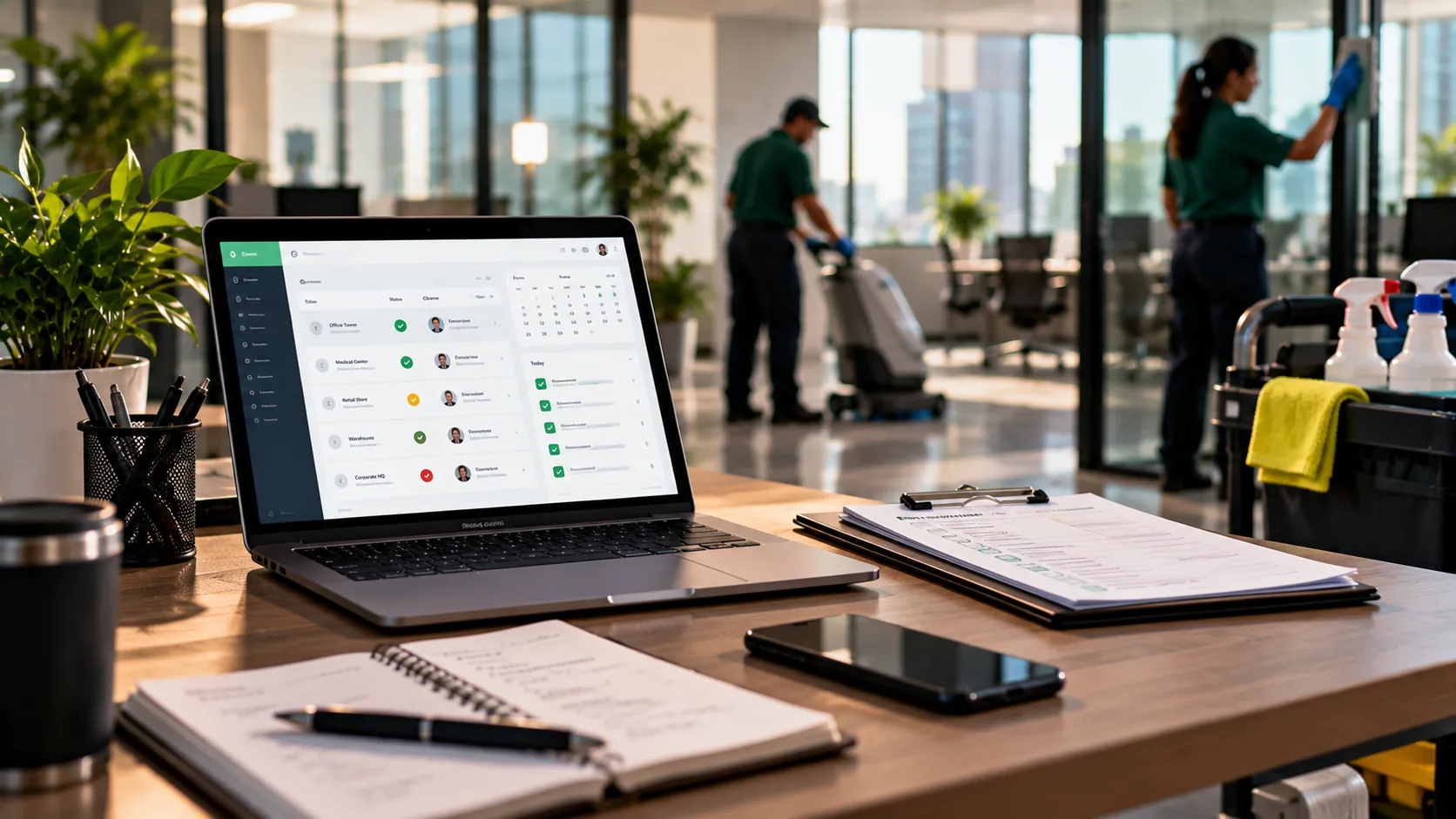
Commercial cleaning business software is the category of tools that runs the field side of a cleaning company: scheduling crews across buildings, confirming each shift actually happened, documenting the work, and showing clients the record. Whether you'll need it depends mostly on size. Under about 10 employees, a spreadsheet and a group chat usually hold up. From 10 to 50, software pays for itself in coordination time and in the accounts it protects. Past 50, it's essential. The rest of this guide's about the math and each type of tool in the category.
The quick answer: buy for the problem that's costing you accounts or hours right now (missed shifts, no proof of service, or scheduling chaos), not for the longest feature list. Check your company size against the framework below, run the math with your own numbers, and keep your accounting tool. Operations software and accounting software aren't the same job.
I've built two commercial cleaning companies, ProCleanings in New York and Verdant in Texas, and I've run both on spreadsheets and on software. I also built ProTeams, so I'm one of the vendors you'd be comparing. This guide's the version I'd want if I were buying: what the category does, who needs it, and how to tell the tools apart.
Commercial cleaning software earns its cost when the hours you spend coordinating by hand, plus the accounts you lose without proof, exceed the subscription. For most operators that crossover sits around 10 employees.
What is commercial cleaning business software?
Commercial cleaning business software is an operations platform for cleaning companies that service offices, medical buildings, and other commercial sites. It handles scheduling and dispatch, shift check-ins, proof of service, real-time field status, client visibility, and reporting.
The category exists separately from general field-service and home-services software because commercial cleaning works differently. Most shifts happen after hours in empty buildings. The same crew cleans the same site five nights a week for years. And clients judge you on a standard of "prove it" that a one-off home visit never faces. Software for commercial cleaning treats proof and live status as core, not add-ons.
It breaks into a handful of functions:
- Scheduling and dispatch. Assigns crews to buildings and shifts and sends each assignment to the cleaner's phone.
- Proof of service. Records timestamped check-ins, completed tasks, and photos, often with location.
- Real-time visibility. Shows the office who's on site right now and flags late starts and no-shows.
- Client visibility. Lets the client see schedules, reports, or issues without calling you.
- Reporting. Turns a month of shifts into something you can hand a client at renewal.
What it usually isn't is your accounting system, and that's fine. Invoicing, payroll, and job costing generally sit in separate tools, and most BSCs run QuickBooks alongside their operations software. Knowing that up front saves you from judging an operations platform against an accounting checklist.
Who actually needs commercial cleaning software?
Under 10 employees, spreadsheets are usually fine. From 10 to 50, commercial cleaning software pays for itself. Past 50, it's essential. That size test tells you whether to buy at all, and it's worth more than any feature comparison.
| Company size | What usually fits | Why |
|---|---|---|
| Under 10 employees | Spreadsheet + group chat, or a free plan | You can hold the whole operation in your head. Coordination takes minutes a day. |
| 10–50 employees | Dedicated software pays for itself | Manual coordination eats real hours, and a missing record starts costing accounts. |
| 50+ employees | Software is essential | Nobody can track dozens of cleaners across many buildings by memory and text. |
These bands are my judgment from running crews, and they're about coordination load as much as headcount. Twelve people working one large building at the same time need less coordination than eight people spread across fifteen small accounts on different schedules. Count the moving parts, not just the people.
The bands aren't walls, either. Plenty of 8-person companies buy early because they're growing fast and want the system in place before things get messy. The framework shows where the decision gets easy. It doesn't make it mandatory, and you shouldn't treat it that way.
Manual coordination costs a 10–50 person company about $250 a month in supervisor time alone
The mistake that keeps mid-size operators on spreadsheets is treating coordination time as free. It doesn't appear on an invoice, so it feels free. At conservative numbers, it costs roughly $250 a month in supervisor time, before you count a single lost account.
Picture an owner running 6 crews, about 12 cleaners, across 3 buildings. One of them is a 12,000-square-foot office cleaned three nights a week. Last month, after a tenant complaint, the property manager asked for service records for every visit in the past 30 days. The owner had a schedule and a WhatsApp thread. No check-in times, no photos, no record of which tasks were done. The account, worth $2,400 a month, went out to bid two weeks later.
Now the math, kept deliberately low. Say someone spends one hour a day on pure coordination: schedule changes, call-outs, checking whether shifts happened, and pulling together reports when a client asks.
Conservative coordination math (plug in your own numbers):
1 hour a day × 22 working days = 22 hours a month of manual coordination.
Value that time at the median wage for first-line supervisors of housekeeping and janitorial workers, $22.43 an hour according to BLS OEWS data (May 2023) = about $493 a month.
If software cuts that time in half: about $247 a month back.
Compare that to the monthly fee of any plan you're considering. Then add what one kept account is worth.
The coordination savings are the small number; they're not the reason most owners buy. The big one is the account in the scenario: $2,400 a month is $28,800 a year, lost because a report couldn't be produced on demand. One kept account usually outweighs years of subscription fees. The time savings make software pay for itself. Retention's what makes the decision obvious.
Field labor compounds it. Median pay for janitors and building cleaners was $17.71 an hour in May 2025, and every hour spent re-cleaning after a missed shift is an hour you pay for twice.
What should cleaning scheduling software do for a multi-site operator?
Cleaning scheduling software should assign crews to buildings and shifts, put each assignment on the cleaner's phone, and show the office whether every shift actually started. A static calendar only does the first part.
A schedule tells you what's supposed to happen. It won't tell you what did. Cleaning runs on what actually happens after hours, when nobody's watching. Good scheduling and dispatch software closes that loop: the shift's assigned, the cleaner checks in, and the office sees started, late, or no-show in real time. The guide to cleaning scheduling software covers the four shift states every schedule should show and the cost of a no-show nobody notices until morning.
In the 3-building scenario, the owner's scheduling problem wasn't the calendar. Everyone knew where they were supposed to be. What he didn't have was any signal when a shift didn't start, so the first person to notice a missed night was usually the tenant. That's the gap scheduling software closes, and it's why a shared calendar, however tidy, won't do the same job. If you're comparing tools, ask each one what you'd see at 10:15 PM when a cleaner hasn't checked in.
Is free cleaning business software enough?
Free cleaning business software is enough for a small operation, usually up to about 4 cleaners and 3 sites. Past that, free plans run out of users or leave out the alerts, location checks, and client reports that protect accounts.
Free options come in four forms: spreadsheets, free plans from general workforce apps, free plans from cleaning-specific tools, and time-limited trials. Each one breaks at a different crew size, and it's usually sooner than owners expect. ProTeams has a Free plan for 1 back-office seat, 4 mobile users, and 3 active sites, with no time limit.
The question to ask about any free option is which limit you'll hit first. If you've got 6 cleaners, a free plan capped at 4 users won't cover your crew, and a 10-user free plan fills up fast once people who've left still count. Count your users, including yourself and anyone archived, and pick the option you won't outgrow in six months. If you're already past that, you'll save yourself a migration by starting on the paid tool now. For the full breakdown, read free cleaning business software: what you actually get.
What should cleaning company management software actually do?
Cleaning company management software should pull scheduling, field communication, proof of service, client visibility, and reporting into one system the whole company runs from. It's the operational hub, separate from the tool that runs your books.
Where a point tool solves one problem, a management platform answers the question that eats evenings: "Did the Elm Street building get serviced Tuesday, and can I prove it?" When the schedule, the check-ins, the photos, and the client's view live in one place, that's a ten-second lookup. Real-time visibility across every account, on one screen, is the payoff of putting it all together. Commercial cleaning management software doesn't replace QuickBooks, and it shouldn't try to.
The test of a management platform is how many places you have to look. If a client question means checking the schedule in one app, the photos in a group chat, and the issue in someone's email, you've got three tools pretending to be one. One login, one record per visit, and one view the client can see is what you're paying for. Anything that doesn't feed that record is a nice-to-have. For the full checklist, read what cleaning company management software should actually do.
How do you choose janitorial software?
Choose janitorial software by scoring each platform on what it can prove: on-site check-ins, task completion, photos you can tell apart from later uploads, and records that last until renewal. Feature count comes second.
The useful test is your last real dispute. Give each vendor the details and ask them to show, on screen, the record you'd have pulled up. If the answer's "you'd have to ask the cleaner," move on. For how ProTeams works for janitorial teams specifically, see ProTeams for janitorial companies.
Team size changes what you weight most. Under about 20 people, a mobile app your cleaners will actually use matters more than anything else, because nothing works if they don't check in. From 20 to 60, alerts, a multi-site live view, and record history move up, since you've stopped seeing every building yourself. Price whatever you pick at the headcount you'll have next year, not the one you've got today. For the full scorecard, read janitorial software: how to choose the right platform.
How does proof of service software prove every clean?
Proof of service software proves a clean by recording when the cleaner arrived, what tasks were completed, and photos of the finished work, all timestamped and ideally tied to the building's location. It's the record that would have saved the account in the scenario above.
The detail that separates good proof from weak proof is whether you can tell an on-site photo from one uploaded later from home. The first proves the shift happened. The second only proves the space was clean at some point. Proof of service software covers how to build a record that holds up when a client says a clean didn't happen.
Go back to the owner who lost the $2,400 office. With proof of service, the property manager's request would've been a five-minute export: 13 visits, each with a check-in time, the tasks marked done, and photos taken on site. That doesn't guarantee he'd have kept the account, but it changes the conversation from "trust us" to "here's the record." Retention length matters too. Disputes tend to come up at renewal, months after the shift, so a record that's gone after 30 days won't help when it counts.
How does janitorial inspection software catch problems before clients do?
Janitorial inspection software gives supervisors a structured walk-through to score the work against the scope, so quality problems surface on your inspection instead of the client's. It's the manager-side check that sits on top of the crew's own proof of service.
Proof of service is the cleaner documenting their own work. Inspection is someone else checking it. Both matter, and they're answering different questions. The overview of cleaning inspection apps covers how inspections fit into a multi-site quality program.
Inspections work best when they're built from the same scope the crew works from. If the client's paying for restrooms nightly and high dusting monthly, that's what the walk-through should score, nothing more. Schedule them across sites so every building gets seen, and keep the results. A trend of rising scores is one of the strongest things you can bring to a renewal meeting.
How do you compare commercial cleaning software?
Compare commercial cleaning software by naming your biggest bottleneck first, confirming you're past the size where software beats a spreadsheet, and then testing each tool on that bottleneck with your real buildings.
Run your situation through this checklist before you sit through a single demo. Copy it, fill it in, and you'll know whether to buy and what to buy for.
| Question | Your answer | What it tells you |
|---|---|---|
| 1. How many employees? | Under 10 / 10–50 / 50+ | Whether software pays for itself yet. |
| 2. Hours a week spent coordinating by hand? | _____ hrs | Your monthly coordination cost, using the math above. |
| 3. Biggest bottleneck? | Missed shifts / no proof / scheduling chaos / no field visibility | Which function to test hardest in demos. |
| 4. Lost or nearly lost an account over proof? | Yes / No | If yes, weight proof of service double. |
| 5. What runs invoicing and payroll today? | _____ | Keep it. Buy operations software separately. |
| 6. Free plan or trial available? | Yes / No | Test on your real buildings before committing budget. |
If you're at 10 or more employees, spending real hours coordinating, and proof of service shows up anywhere in your answers, you're past the crossover, and the math above usually favors buying. For tool-by-tool detail, our pages to compare cleaning software go through the main options by the bottleneck each one solves. Read them knowing who wrote them, and check every claim in your own demo.
One more check: how a platform handles no-shows. The post on how no-show detection protects contracts shows why catching a missed shift at 10 PM matters more than any report the next morning.
How long does it take to switch from spreadsheets to cleaning software?
Most operators can move a small schedule off spreadsheets in a day or two of setup, then run both side by side for a couple of weeks while the crew gets used to checking in. The setup's quick; the habit takes longer.
Here's the order I'd do it in. Add your sites first, then your cleaners, then the recurring shifts for each building with the tasks attached. Start with your most demanding account, not your easiest, so you'll find the gaps where they matter. Keep the spreadsheet running for two weeks as a backup, and don't drop it until every cleaner's checking in without a reminder.
Expect pushback from one or two cleaners, usually the ones least comfortable with phones. Sit with them for one shift. Once they've seen that checking in takes seconds and the task list is the same work they already do, it's rarely an issue again. If it is, that's worth knowing before you've rolled it out to every site.
Where does ProTeams fit?
ProTeams fits commercial cleaning companies whose biggest risks are missed shifts and unprovable work. It covers scheduling, check-ins, proof of service, live shift status, and client visibility, and it doesn't handle invoicing, payroll, timesheets, or job costing.
- Scheduling and dispatch. Single and recurring shifts on one screen, delivered to cleaners' phones with each shift's task checklist.
- Proof of service. On every plan, with photos and task completions marked verified when done on site.
- Location check-in. Geofenced check-in on the Growth and Scale plans; geo-tagging on Launch.
- Live status and alerts. On-time, late, and no-show status in real time, with shift alerts on paid plans. SMS alerts are included on Growth and Scale.
- Client visibility. A client portal, limited on Launch and full on Growth and Scale, plus auto-delivered client reports on Growth and Scale.
- Bidding. Bidding and proposals are live on paid plans.
Plan limits and what each tier includes are on the pricing page. Like most BSCs, you'll run QuickBooks or a similar tool alongside it for the books.
Frequently Asked Questions
What does commercial cleaning business software do?
It runs the field side of a cleaning company: scheduling crews across buildings, delivering assignments to cleaners' phones, recording check-ins and completed tasks, capturing proof of service, showing the office real-time shift status, giving clients visibility, and producing reports. It generally doesn't handle invoicing, payroll, or accounting.
Do I need software for my cleaning business?
It depends on size. Under about 10 employees, a spreadsheet and a group chat usually still work. From 10 to 50, dedicated software typically pays for itself in coordination time and protected accounts. Past 50, it's essential, because manual coordination breaks down at that scale.
What's the difference between commercial cleaning software and accounting software?
Commercial cleaning software runs the work: scheduling, field communication, proof of service, and reporting. Accounting software runs the money: invoicing, payroll, and bookkeeping. Most cleaning companies use one of each, such as an operations platform alongside QuickBooks.
What should a cleaning service report include?
A useful service report shows, for each visit, when the cleaner checked in and out, which tasks were completed, photos of the finished work, and any issues raised. Clients ask for it after a complaint or at renewal, so the record needs to be there for months, not days.
How much does commercial cleaning management software cost?
Pricing is usually tied to users, sites, or both, with features split across tiers. Some vendors offer a free plan for small teams. Price the plan at your headcount 12 months from now, and check which plan includes location check-in, alerts, and client reports.
Buy for the bottleneck, and keep your books where they are
Commercial cleaning business software is worth real money to the right operator and a waste to the wrong one, and the difference is size and bottleneck. Under 10 employees with the operation in your head, keep your spreadsheet. Past 10, losing hours to coordination and one missing report away from losing an account, the category pays for itself. Run the checklist, name your bottleneck, and buy for that. To see how ProTeams handles proof and live status on your own buildings, book a demo or start your free trial.